Custom
Software
Solutions
rozeweb.com
- Scope: Custom Software · Transportation
One workspace for fleet scheduling, routes, tracking, compliance, maintenance, calls, and messaging. Custom software by Rozeweb.
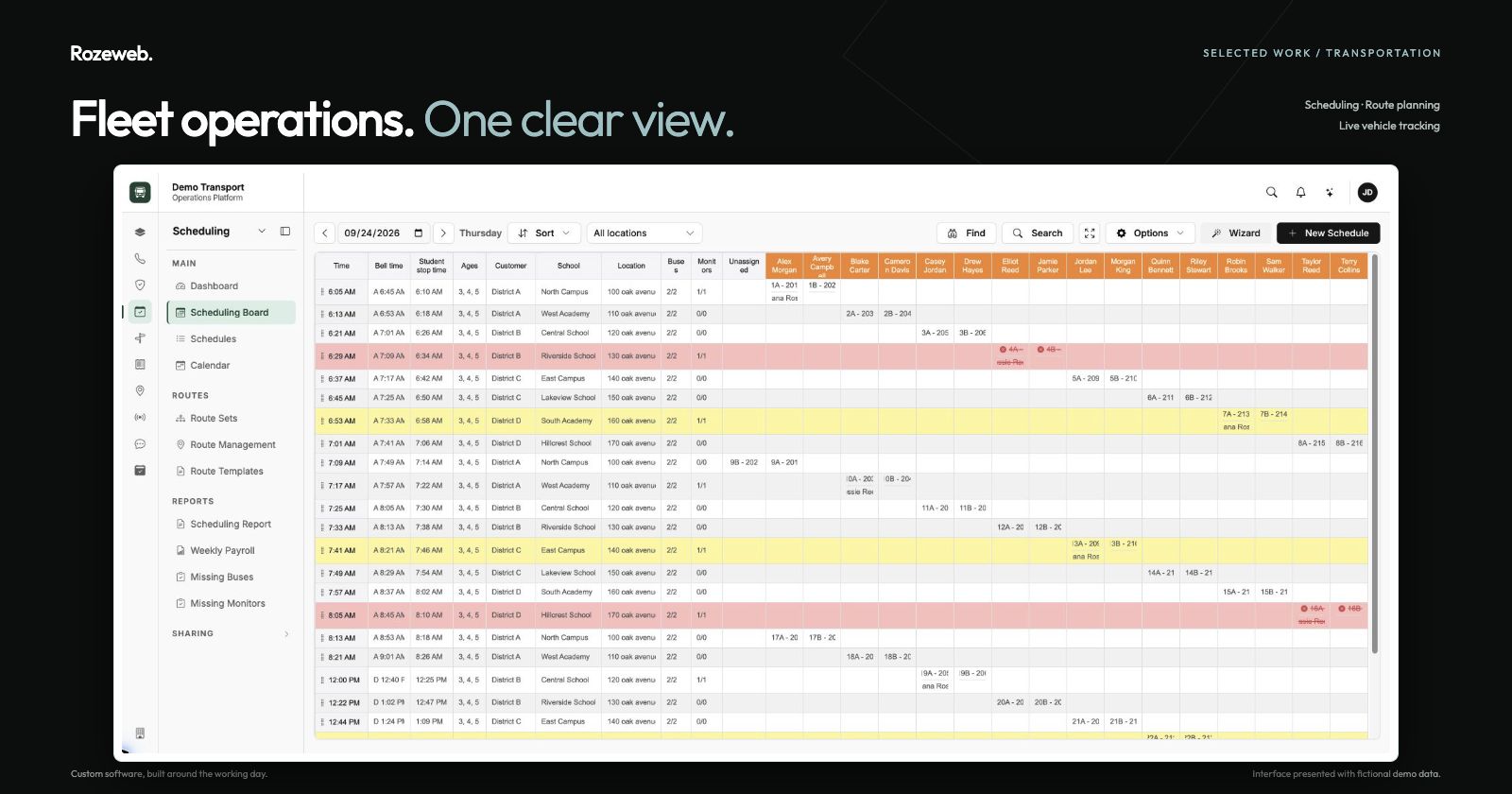
Explore the product below. Tap any screenshot to enlarge.
From the first route to the next incoming call. One workspace for dispatch, fleet readiness, and everyday communication.
The need
Keep people, vehicles, routes, and follow-ups connected as the day changes.
What we built
Scheduling and tracking alongside compliance, maintenance, phone calls, and team messaging.
What it enables
Spot gaps, review service needs, follow arrivals, and answer calls with trip details already in view.
The day, at a glance.
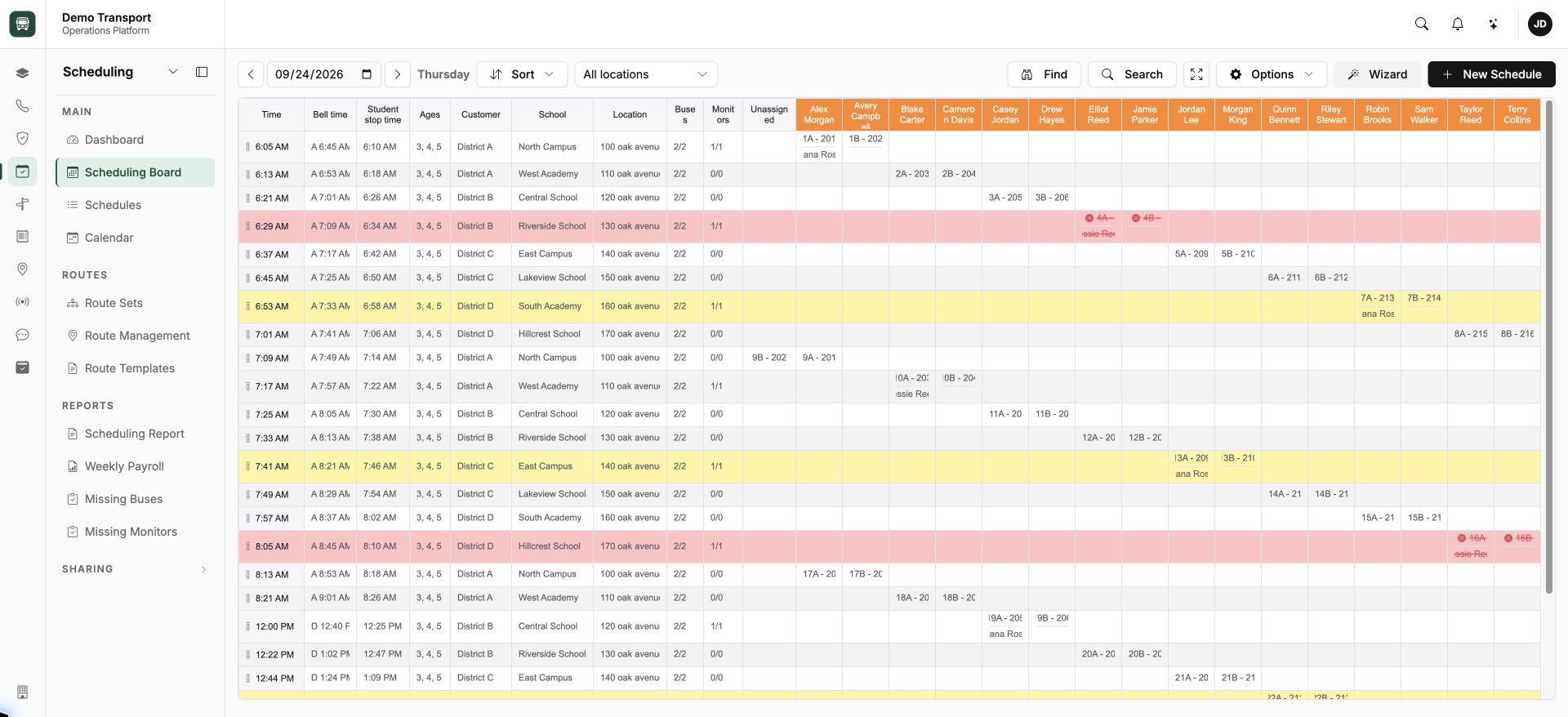
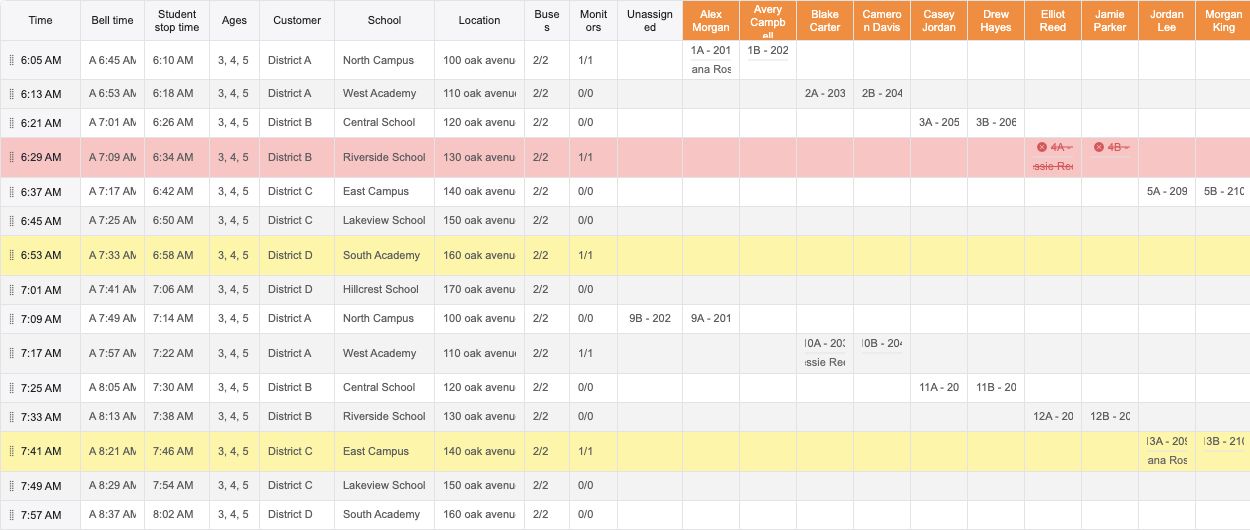
Scheduling
Drivers, routes, and service times share one working view.
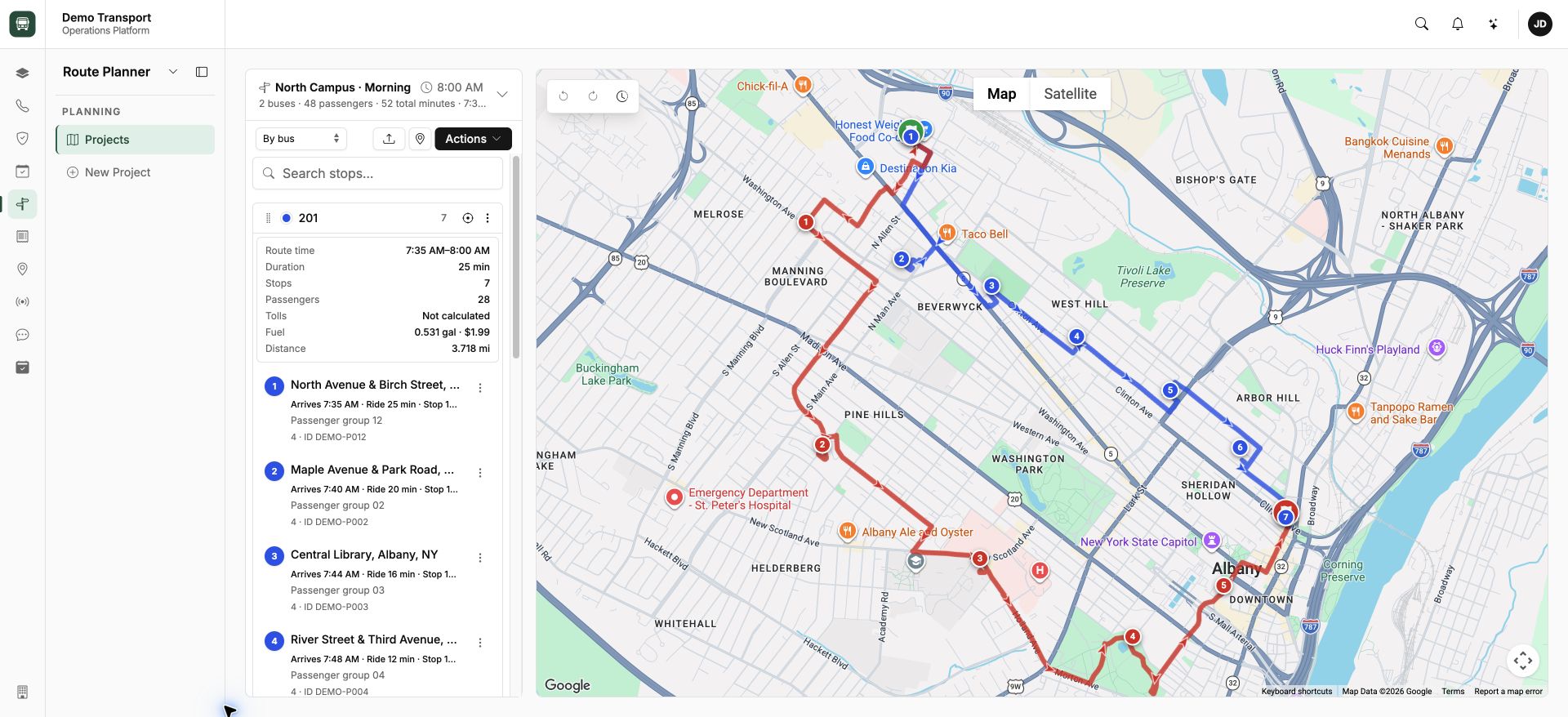
Plan the route.
Stops, passenger groups, and route details, side by side.
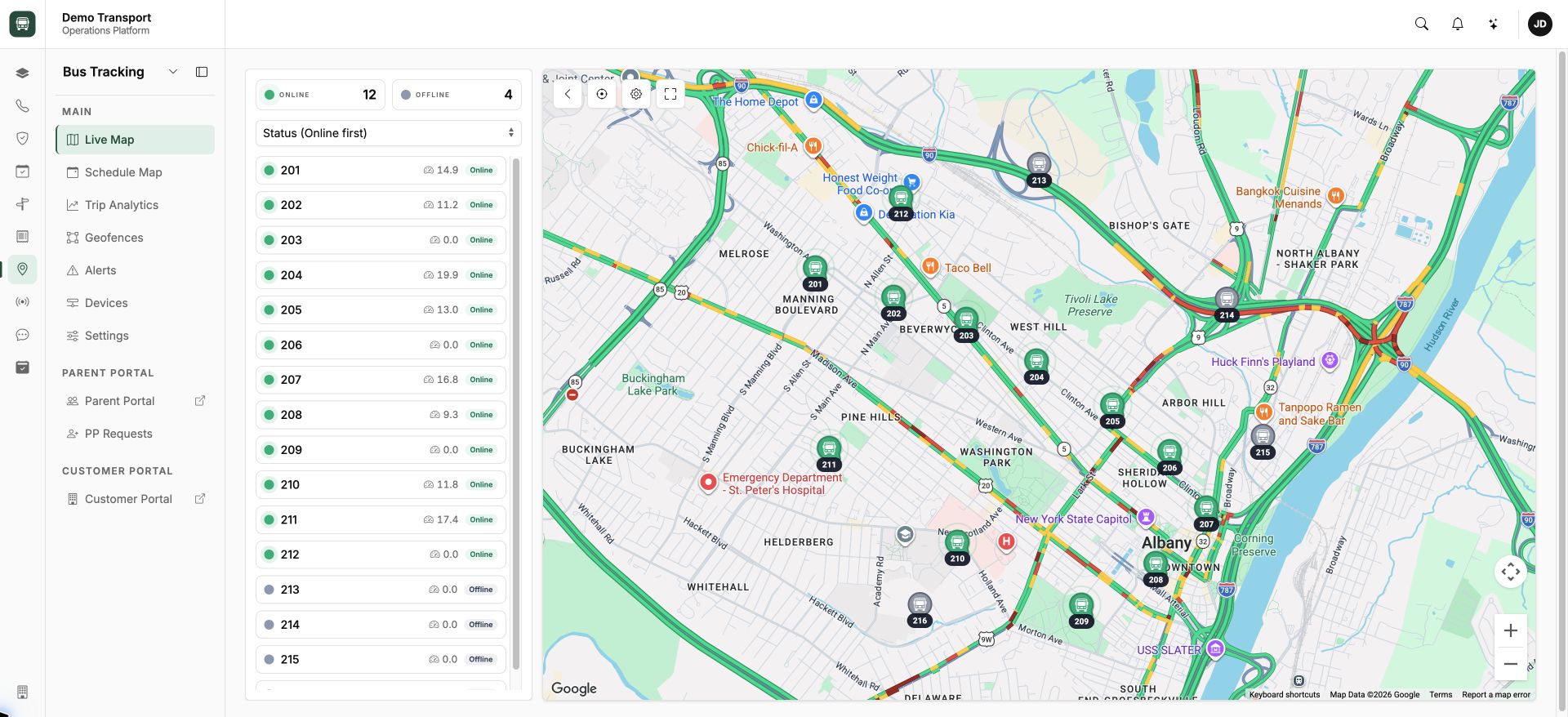
Follow the fleet.
Vehicle activity and location in one view.
Know when vehicles arrive.
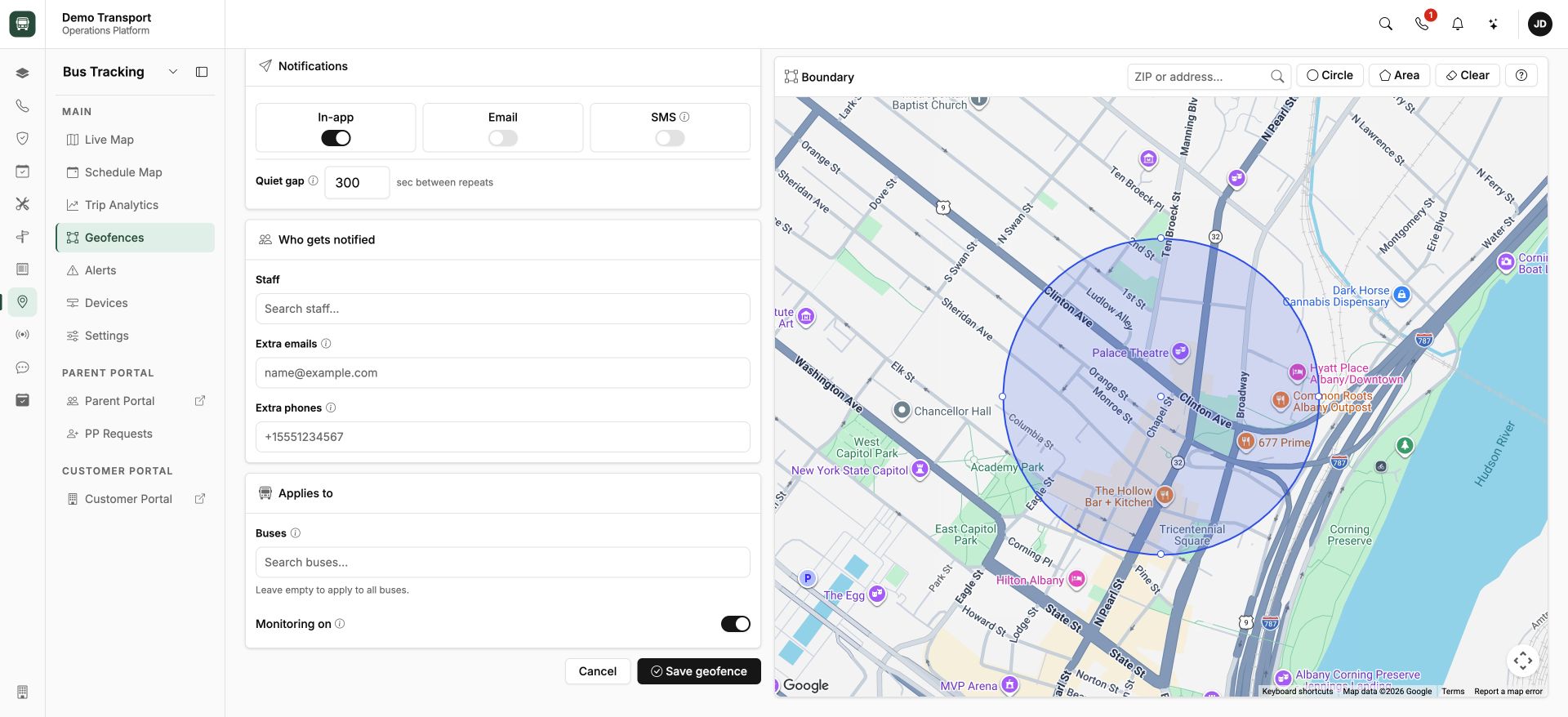
Geofencing
Define monitored zones and choose how the team receives alerts.
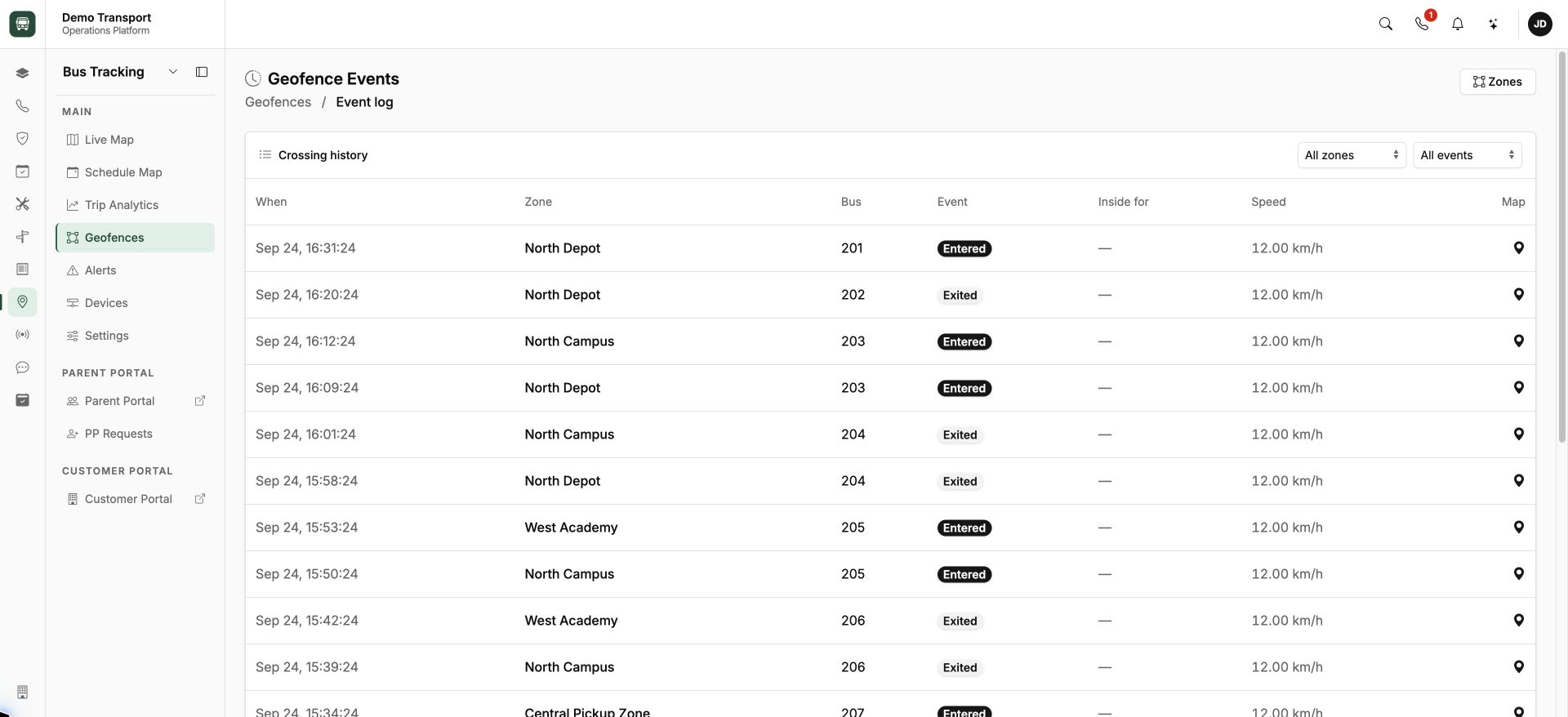
Arrival and departure history
Review vehicle entries and exits across monitored locations.
Keep the essentials in view.
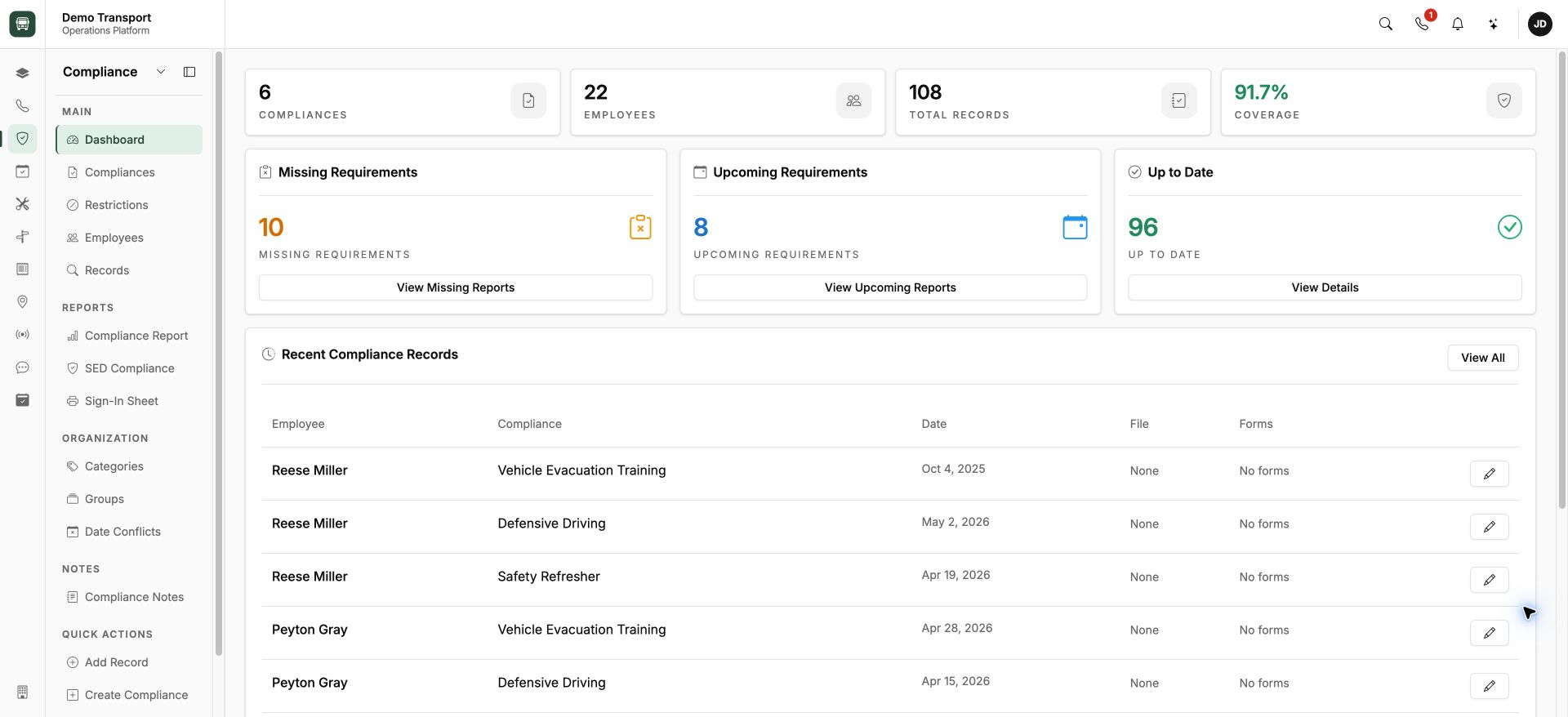
Stay ahead of renewals.
Requirements, records, and upcoming expiry dates in one place.
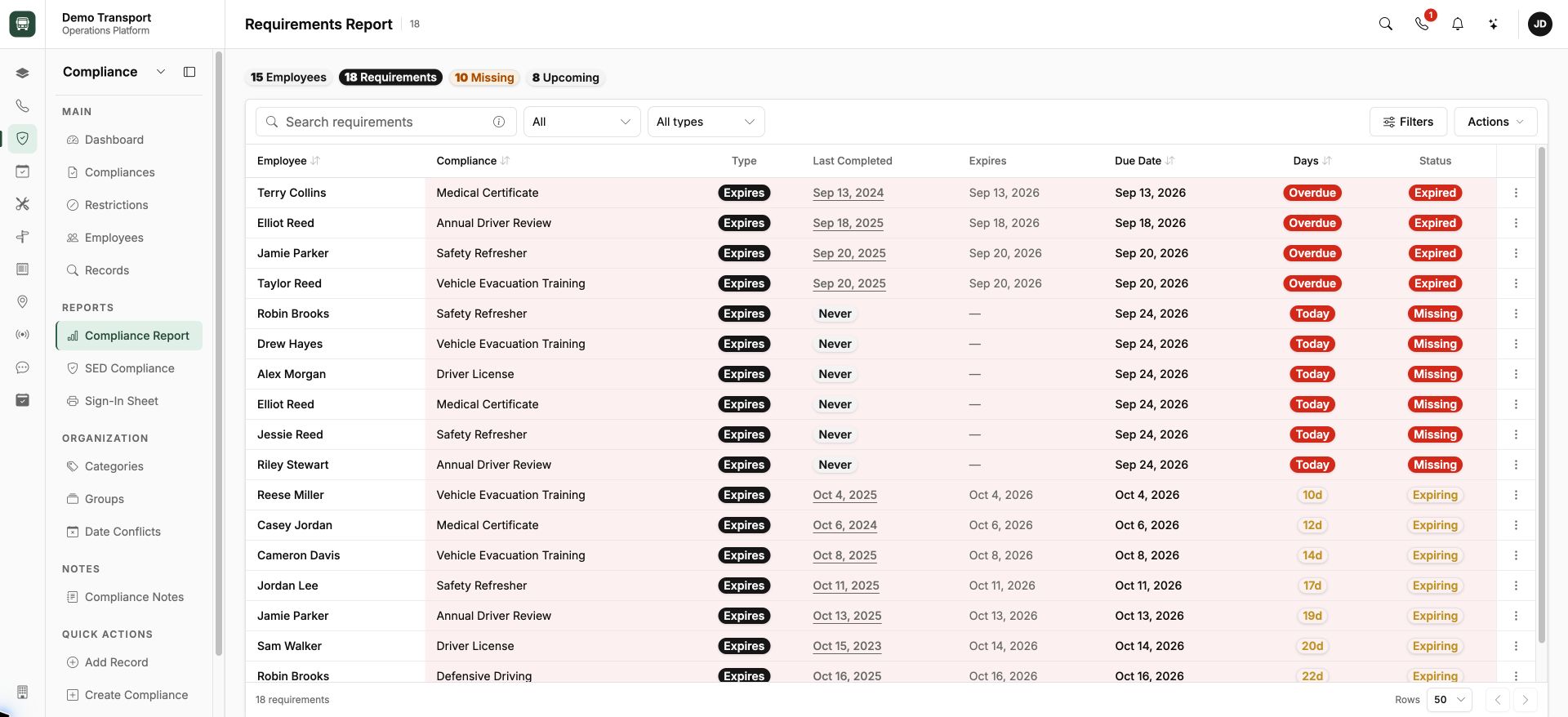
See what needs attention.
Review missing, expired, and upcoming requirements.
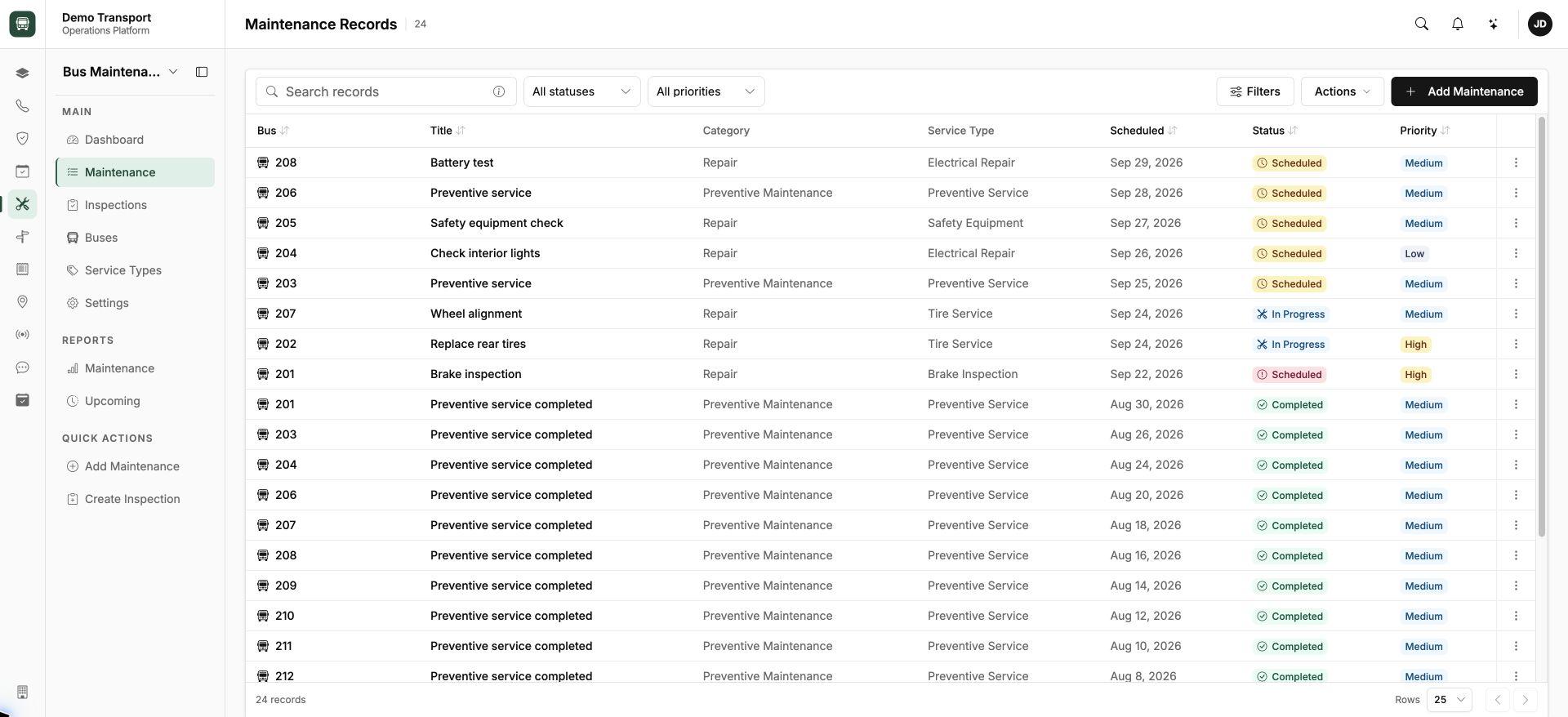
Keep service moving.
Plan workshop tasks and follow each vehicle’s service history.
The call comes with context.
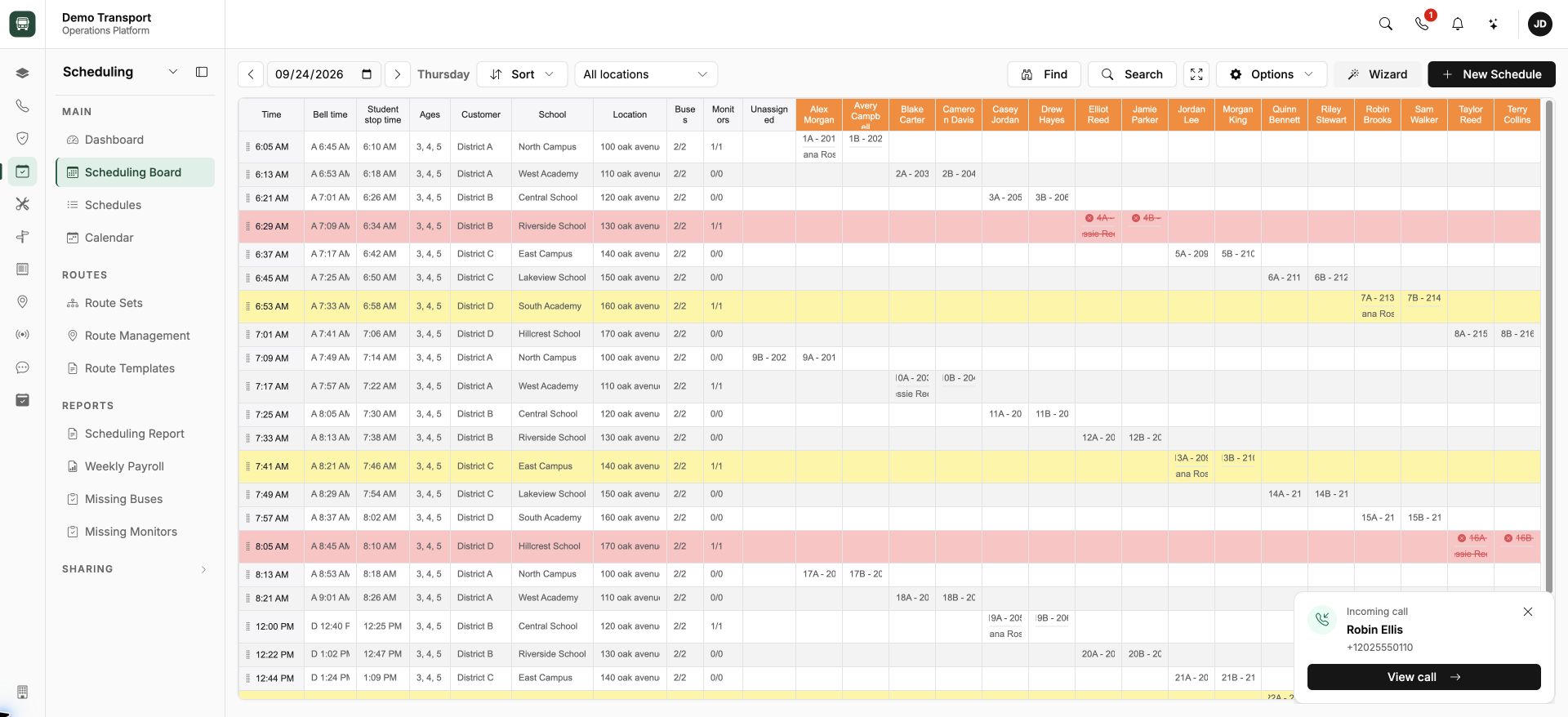
Incoming calls, in the workspace.
A call appears at the bottom right, right where the team is working.
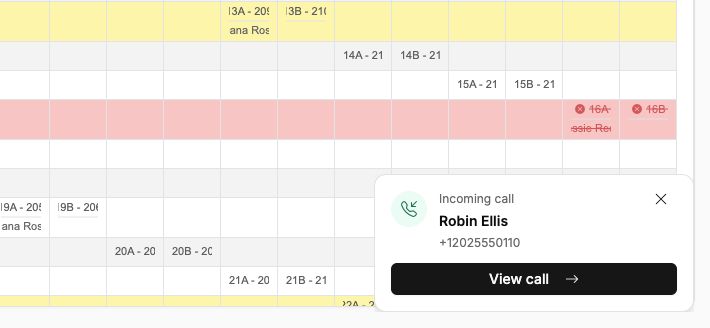
Recognize the caller.
A compact notification keeps the current task in view.
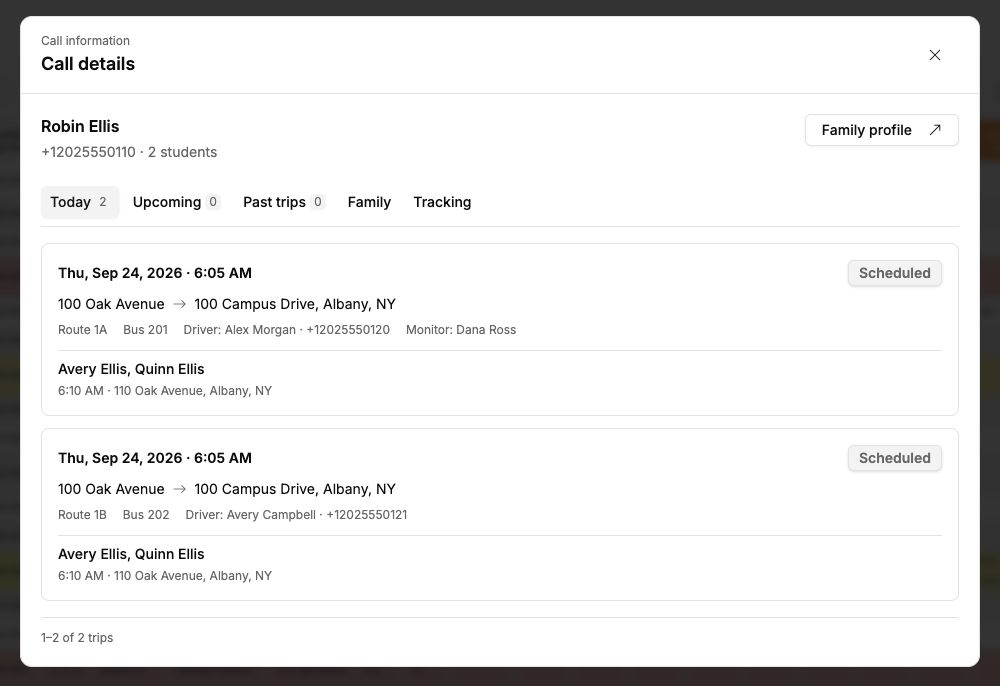
Open the details.
Passengers, drivers, and today’s trips are one click away.
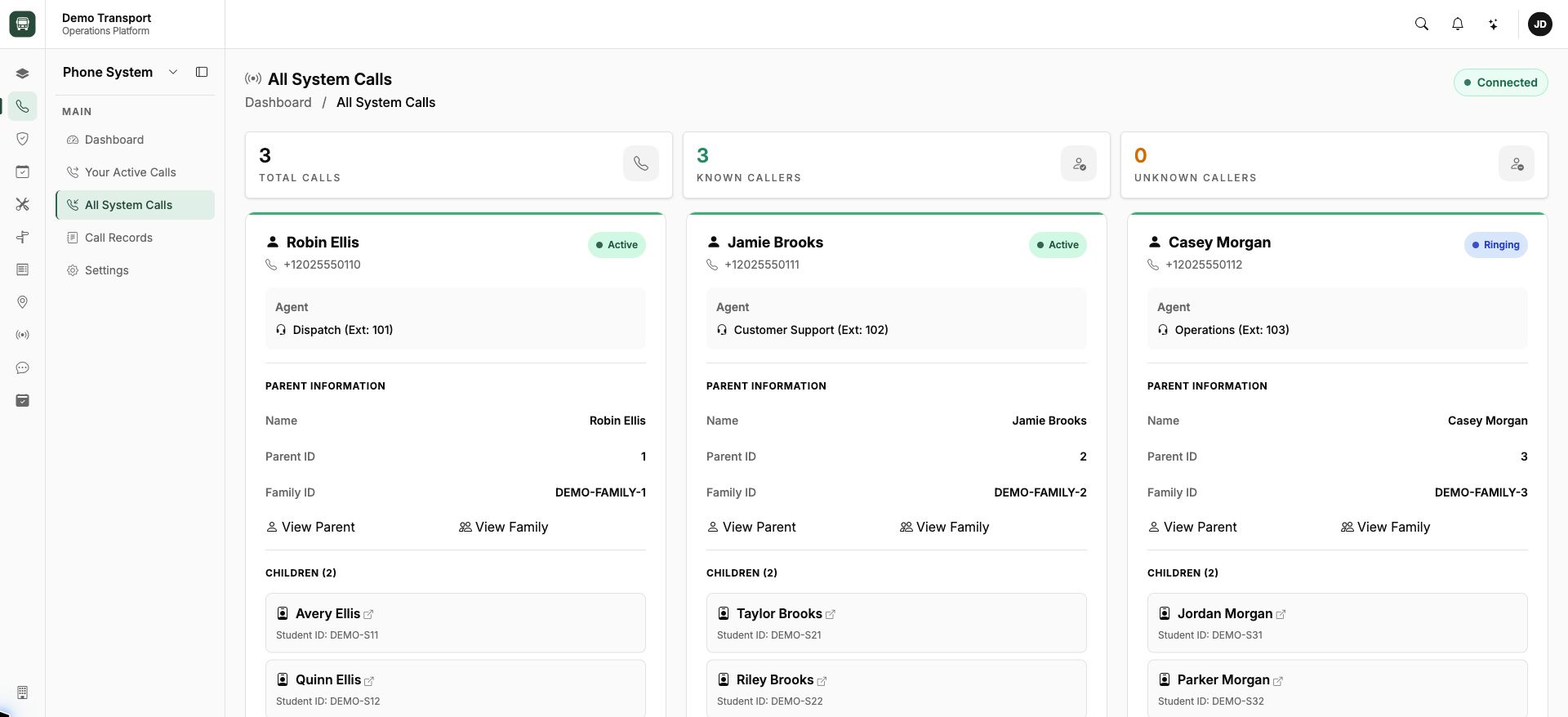
See the calls in progress.
Caller information, assigned agents, and call status together.
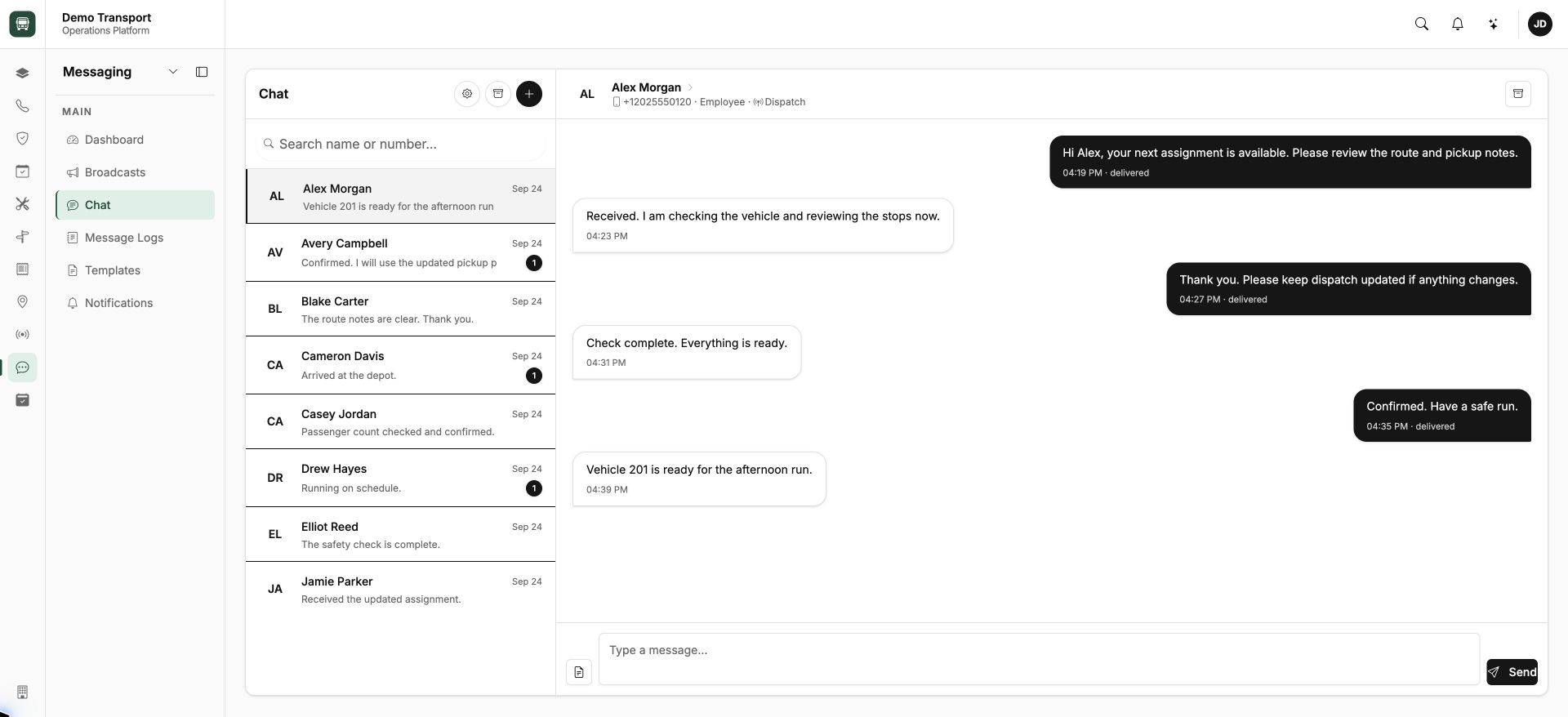
Keep the conversation connected.
Driver updates and dispatch conversations in the same workspace.
Actual application screens, captured locally with fictional names, records, messages, vehicle locations, and simulated call events. Project and client identities are withheld. Figures shown are demo data.
Start by showing us where the friction is.